Key Specifications
 Prime Delivery • 30-Day Returns
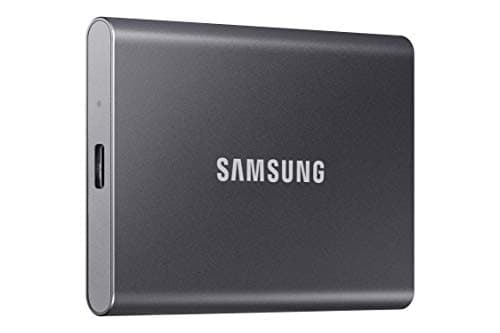
SAMSUNG T7 Portable SSD, 1TB External Solid State Drive, Speeds Up to 1,050MB/s, USB 3.2 Gen 2, Reliable Storage for Gaming, Students, Professionals, MU-PC1T0T/AM, Gray
The Samsung Portable SSD T7 is a portable solid‑state drive designed to deliver SSD‑level performance in a small, travel‑friendly form factor. Using USB 3.2 Gen 2 over USB‑C, it achieves blazing fast read/write speeds — a clear step up from traditional external HDDs. It’s well-suited to users needing quick transfers of large files, video/photo editing, game storage, backups, or mobile storage across laptops and other devices.
Key Features
The Samsung Portable SSD T7 is a portable solid‑state drive designed to deliver SSD‑level performance in a small, travel‑friendly form factor. Using USB 3.2 Gen 2 over USB‑C, it achieves blazing fast read/write speeds — a clear step up from traditional external HDDs. It’s well-suited to users needing quick transfers of large files, video/photo editing, game storage, backups, or mobile storage across laptops and other devices.
Available Colors
Performance demand: If you often move large files, edit media, or want fast backups — the T7’s speed makes a big difference.
Mobility and reliability needs: For frequent travel, working on the go, or switching devices, SSDs like this excel compared with fragile HDDs.
Device compatibility: To get full speed, you’ll need a device with a USB‑C port supporting USB 3.2 Gen 2 (or equivalent).
These factors represent the most critical aspects that will impact your satisfaction with this product.
Customer Reviews
I bought the Samsung T7 2TB portable SSD mainly to give my older 2017 Mac a new lease on life. The internal 500GB platter style hard drive drive in that machine was painfully slow, so I set up macOS to run directly off the T7. The difference was night and day — boot times dropped to seconds, apps opened almost instantly, and overall the computer felt like a brand-new machine. Honestly, it sped things up exponentially compared to the stock drive.
I’m not the most tech savvy and wanted backup on an external drive for graphics heavy work and photos. I remember the challenge of making my last external drive compatible and especially deleting old files, so I was a little anxious trying to find a solution.