Key Specifications
 Prime Delivery • 30-Day Returns
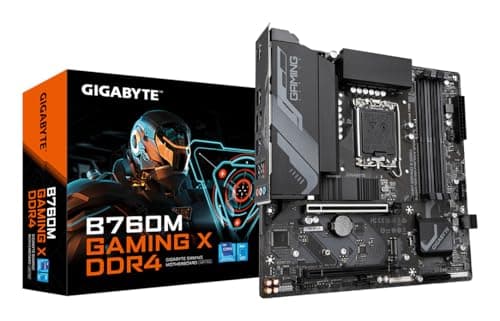
Gigabyte B760M GAMING X DDR4 motherboard Intel B760 LGA 1700 micro ATX
The GIGABYTE B760M GAMING DDR4 is a compact micro-ATX motherboard built on Intel’s B760 chipset for LGA1700 CPUs (12th / 13th / 14th Gen Intel Core compatible). It targets budget-conscious gamers and small-form-factor builds that still want modern features: DDR4 memory with high OC headroom, PCIe 4.0 NVMe support, a fast 2.5Gb Ethernet controller, and convenient installation features such as an EZ-Latch PCIe slot and Q-Flash support. This board aims to hit a balance between price, upgraded connectivity, and solid everyday performance.
Key Features
The GIGABYTE B760M GAMING DDR4 is a compact micro-ATX motherboard built on Intel’s B760 chipset for LGA1700 CPUs (12th / 13th / 14th Gen Intel Core compatible). It targets budget-conscious gamers and small-form-factor builds that still want modern features: DDR4 memory with high OC headroom, PCIe 4.0 NVMe support, a fast 2.5Gb Ethernet controller, and convenient installation features such as an EZ-Latch PCIe slot and Q-Flash support. This board aims to hit a balance between price, upgraded connectivity, and solid everyday performance.
Available Colors
Key Considerations
CPU compatibility & BIOS — works with 12th/13th/14th Gen Intel Core on LGA1700; check the vendor CPU support page for exact SKUs and BIOS requirements.
Memory (DDR4) vs DDR5 — this board uses DDR4 (2 DIMM slots, up to 64 GB typical) — cheaper RAM but less future-proof than DDR5 platforms. Verify supported speeds (OC list goes to ~5333 MT/s on some retailer/spec pages).
Form factor & expansion limits — micro-ATX means fewer PCIe slots (great for compact builds but limited if you plan many add-in cards). Measure case clearance for long GPUs and large coolers.
Storage layout — typically 2× M.2 slots (at least one PCIe 4.0 x4) plus SATA ports — confirm which M.2 is CPU-direct if you need maximum NVMe throughput.
Networking / I/O needs — onboard Realtek 2.5GbE (faster than standard 1GbE) plus modern USB and video outputs (HDMI/DisplayPort) — decide whether built-in networking is sufficient or if you need Wi-Fi.
The B760 chipset gives a stable, feature-rich entry platform for current Intel CPUs (12th–14th Gen). It supports modern CPU features and PCIe 4.0 lanes for GPU and at least one NVMe slot; confirm BIOS level if you plan to use the very newest 14th-Gen SKUs.
These factors represent the most critical aspects that will impact your satisfaction with this product.
Customer Reviews
A top LGA 1700 mainboard for me! Bios update super easy! Just plug in the power supply and plug the USB stick with the new BIOS into the specially provided USB port and press the BIOS update button.
Great value for money, works great!